A connection built for everyday use.
NordVPN’s protocol is based on WireGuard. It balances performance and privacy; results depend on the network and server.
 Studio
Systems, SaaS, websites and landing pages built around your project.
Discuss my projectCloudHosting, domains, email and security for your online presence.
Explore Zovvi CloudAgencyDigital marketing, campaigns and paid advertising to connect with your audience.
Discuss my projectTell us what you need. We’ll help you find the next step.
WhatsApp+55 (11) 99149-8980[email protected]Your services, invoices and support in one place.
Sign in to the Client PortalView invoicesAccess your invoices through the portal. Português
 Español
 English
At a café, on a trip or at home: take an encrypted connection with you. NordVPN protects the path between your device and the VPN server.
The same VPN offering, with two subscription terms. Choose the one that fits your routine.
This is a VPN offer. Antivirus, cloud storage, a password manager and a dedicated IP are not included.
R$382.80 billed upfront for 12 months.
Prices in Brazilian reais (BRL). The annual plan’s monthly equivalent is not an installment. Check renewal pricing, applicable taxes and terms in your order.
Choose a situation to explore how to use it and what to consider.
At the airport, hotel or café, encrypt traffic to the VPN server. Keep checking the network name and the addresses you visit.
See how to use it on my deviceReduce exposure of your IP to websites. A VPN does not remove cookies or recognition through accounts you sign in to.
See how to use it on my deviceChoose a server in the app. Available locations vary; access to services remains subject to their rules and restrictions.
See how to use it on my deviceA VPN works on your connection. Your security also depends on your device, accounts and the websites you use.
NordVPN’s protocol is based on WireGuard. It balances performance and privacy; results depend on the network and server.
Depending on the platform and settings, it blocks traffic or closes selected apps if the VPN drops, reducing exposure over the regular connection.
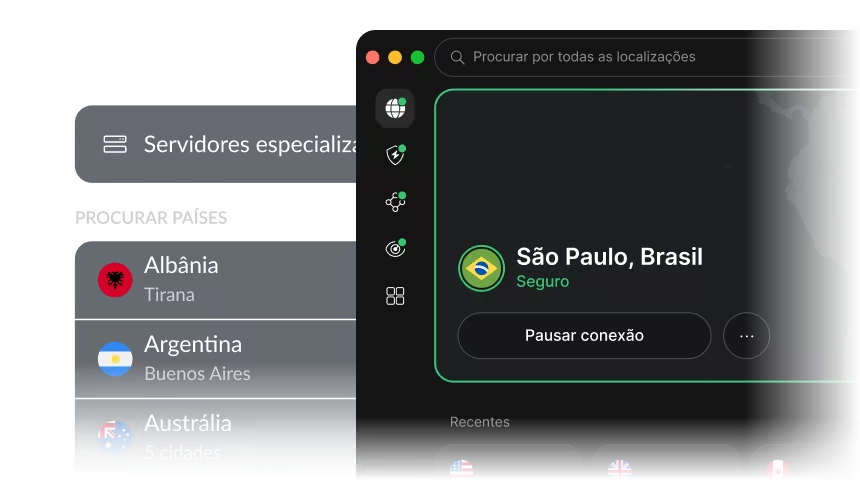
Choose an available location or use Quick Connect. A more distant server may have a greater effect on latency.
Once your subscription is activated, use the official app. Choose your system for installation guidance.
Download the official Windows app, sign in with your activated account, then use Quick Connect or choose a location.
Open official guideCheck your OS version, requirements and available features before installing. Never share your activation password.
Install the official macOS version and allow the VPN configuration when your system asks. Then connect through the app.
Open official guideCheck your OS version, requirements and available features before installing. Never share your activation password.
Install the app from the store linked on the official website. Sign in and accept Android’s VPN connection request to get started.
Open official guideCheck your OS version, requirements and available features before installing. Never share your activation password.
Use the official iOS or iPadOS app. After signing in, allow the VPN configuration to be added and choose your connection.
Open official guideCheck your OS version, requirements and available features before installing. Never share your activation password.
Check the supported distributions and requirements in the official guide. Follow the installation and sign-in instructions for your system.
Open official guideCheck your OS version, requirements and available features before installing. Never share your activation password.
It creates an encrypted connection between your device and a VPN server. Websites see that server’s IP instead of your connection’s original IP. This helps protect traffic on the network and reduces exposure of your IP address.
No. Accounts you sign in to, cookies and other identifiers can still link activity to you. A VPN is one layer of privacy, alongside strong passwords, two-factor authentication and care with links and downloads.
Apps are available for Windows, macOS, Android, iOS and Linux, among other platforms. Simultaneous connections depend on your purchased license. System requirements and features vary between apps.
Yes. Server distance, your connection and network conditions affect the result. NordLynx is designed to balance speed and security, but there is no guarantee of a fixed speed or zero impact.
Not in this offer, which focuses on the VPN. Features from other Nord packages, such as Threat Protection Pro, NordPass, NordLocker and a dedicated IP, are included only if explicitly stated in your order.
This page presents NordVPN for personal use. It does not replace a business VPN with user administration, internal-network access controls and company policies. Talk to Zovvi about those requirements.
After your order and payment are confirmed, activation instructions arrive by email. Check your term, renewal price and automatic-renewal setting in the order. Cancellation and any refund follow the offer’s terms and applicable rights; a prorated refund is not automatic.
There is no guarantee. Websites and services may restrict VPNs, and availability changes. Use the VPN in accordance with local laws and each service’s terms. It does not override those rules or grant content rights.
Choose your plan and get started with guidance from Zovvi.
See NordVPN plans